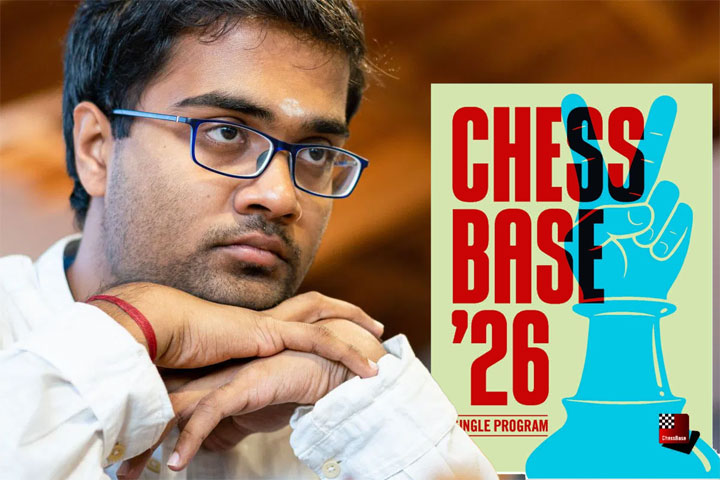
Hello ChessBase enthusiasts!
I’m GM Iniyan Panneerselvam, a professional chess player who has been immersed in ChessBase and its products since childhood. Over the years, I’ve explored countless versions of ChessBase, and with the recent release of ChessBase 2026 (CB26), I felt it was the perfect time to share my thoughts on the features I find most impactful and how you can use them to accelerate your chess growth.
In this article, I’ll walk you through the standout tools, offer practical tips and recommendations, highlight the exciting new additions introduced in CB26 and how to access each of these features. My goal is to help you not just use ChessBase, but to truly leverage it as a training companion that sharpens your preparation and deepens your understanding of the game. As someone rightly said to me, master ChessBase and you will improve your chess. I hope you manage to do so via this guide.
For those curious about the evolution of the software, I previously reviewed CB18, so feel free to check that out for a comparison. But for now, let’s dive headfirst into the rabbit hole of CB26 and see what treasures it holds!
(This guide would also be valid for users of older ChessBase versions, as they can still access the features which aren’t marked as new feature here.)
User Interface of ChessBase 26
The look and feel of software can make or break the experience. It sets the tone and mood for your work. ChessBase has always excelled in this area, offering a wide variety of customization options.
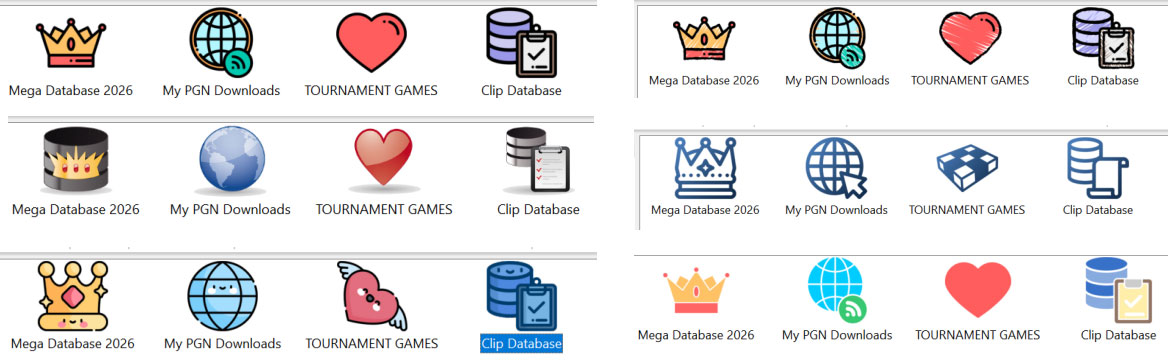
The Different Styles in Chessbase 2026
Right from the moment you open the program, you can choose a theme from the top-right corner. CB18 introduced customizable icon colors, but CB26 takes it up a notch, with seven distinct icon themes [New Feature], ranging from Classic to Pixel Art. Each theme carries its own personality, helping you slip into the right working mindset. Personally, I lean toward the Classic theme—but as they say, to each their own.
Once you dive into any database, you’ll find a clean and intuitive classification system: games, players, tournaments, annotators, and more. This neat organization makes it effortless to locate the material you need.
The board interface is equally versatile. Whether you prefer 2D boards, 3D boards, or ray-traced boards, ChessBase offers multiple variations of each. You can even customize the tables, pieces, and squares to match your personal style!
To access: New Board -> Board -> Choose Square/Piece/Table/3d/Ray traced.
Opening Preparation
For any serious chess player, opening preparation is a cornerstone of improvement. The higher your level, the deeper and broader your repertoire needs to be. Beginners and intermediate players, however, benefit most from preparing efficiently so they can devote more time to other areas of the game where growth is essential. ChessBase offers a suite of features to streamline this process.
To access: New Board -> Position of choice -> Report -> Opening Report
Opening Report [NEW FEATURE]
In my view, this is the crown jewel of CB26. Powered by the Mega Database, the Opening Report digs into any position and delivers a wealth of information in mere seconds (or minutes, depending on the number of games available in the position). The wait is minimal compared to the treasure trove of insights you receive.
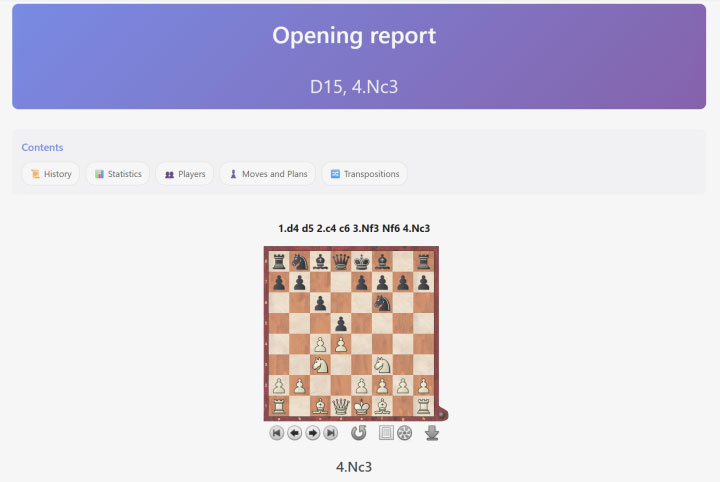
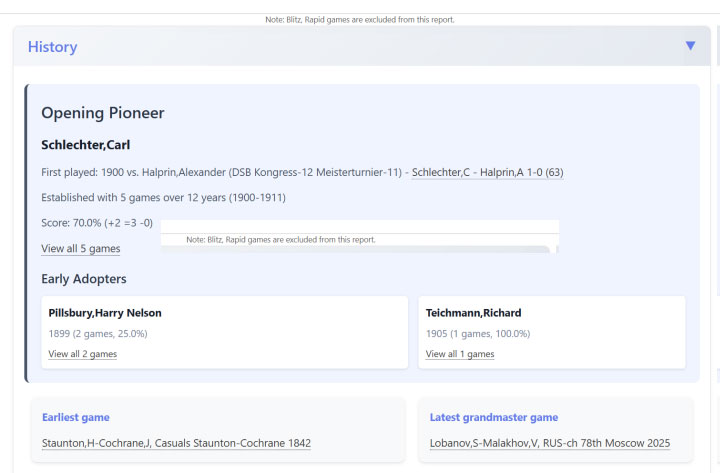
Confucius once said, “Study the past if you would define the future.” The Opening Report embodies this wisdom. It begins with the Position History revealing its pioneers, early adopters, and the evolution of theory through classical games. This historical lens provides context and inspiration for modern preparation.
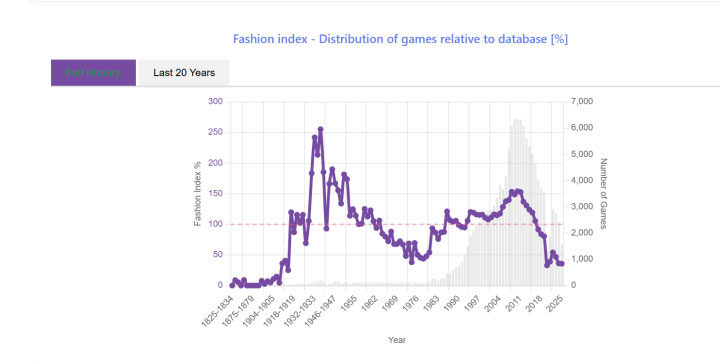
Next comes the Fashion Index: a timeline showing how the position’s fashion has risen and fallen over the years. It’s a fascinating way to see the ebb and flow of opening theory.
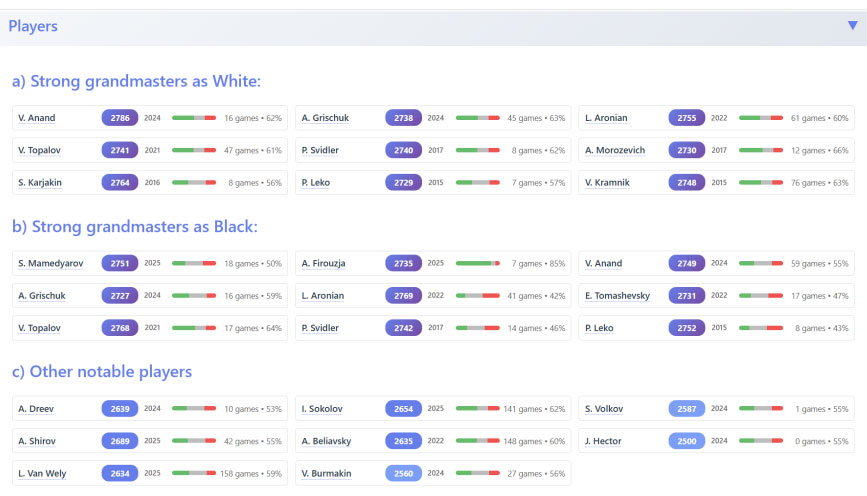
Equally valuable is the Player Database. Suppose you’re exploring the Slav Defense you’ll instantly see which elite players have championed the line, their scores, and their games. With model games just a click away, you can build your repertoire by studying the very best.
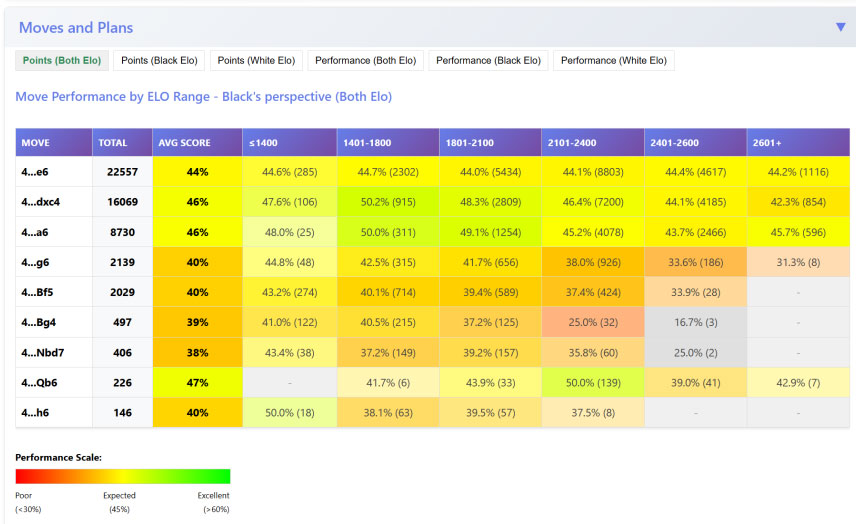
Statistics are another highlight. Not only do you see overall success rates, but CB26 now breaks them down by Rating Categories. This means you can evaluate how effective a line is at your level—and avoid traps that might work brilliantly against one rating range but collapse against another.
— To be continued —
About the author

Iniyan Panneerselvam, born 13 September 2002 in Tamil Nadu, India. He was introduced to chess at the age of five, and grew up in a family with a sports-oriented background. At age six he finished second in the national under-7 event, which qualified him for Asian and World Youth competitions in the under-8 category, securing a silver medal at the Commonwealth under-8 championship. At age 13 he won the Indian under-15 championship.
In July 2017, at age 14, Iniyan made his breakthrough on the international stage by finishing fourth at the Andorra Open, defeating the top-seeded grandmaster and gaining 20.4 Elo points. His rating progressed steadily, and he earned his International Master title 2017. He gained the GM title in March 2019, becoming India’s 61st Grandmaster at the age of 16.
